AI Video for Reels and Shorts in 9:16
Create a short clip for your next Reels or Shorts edit with Muse.si. Choose 9:16 in the studio and generate a 5- or 10-second draft from text or a first-frame image.
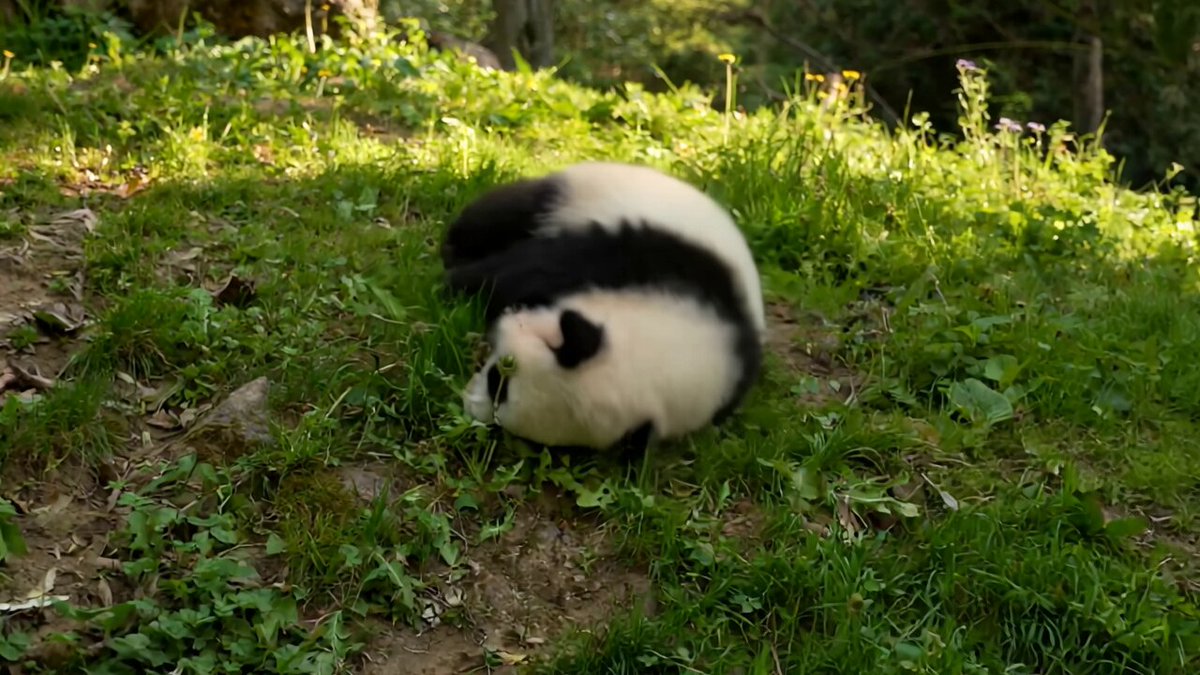
Muse.si sample clip: a panda rolls down a grassy slope, shown here in 16:9. For your own clip, select 9:16 in the studio before generating.
At a glance
- What it makes
- 5- or 10-second AI video, 9:16 or 16:9, from text or a first-frame image.
- Free preview
- 50 credits once, on signup. About five 5-second text-to-video previews.
- Text to video
- 10 credits for 5 seconds. 20 credits for 10 seconds.
- Image to video
- 5 extra credits. JPG, PNG, or WebP up to 4 MB. 15 or 25 credits total.
- Account
- A Muse.si account is required. A separate Muse account is not. You can generate and watch a clip before you choose a plan.
Plan limits on this page match the pricing page as of 2026-11-03.
Prompts
A bright yellow umbrella opens in a rainy street, centered subject, gentle camera push-in, soft evening light. No text, no logos.
A strawberry drops into a clear glass of sparkling water, close-up on the splash, locked camera, bright studio light. No text, no logos.
Make a 9:16 clip
Create a short clip for your next Reels or Shorts edit with Muse.si. Choose 9:16 in the studio and generate a 5- or 10-second draft from text or a first-frame image.
Frequently asked questions
How do I generate a 9:16 video?
Select 9:16 in the studio before you generate. Choose 5 or 10 seconds, enter a prompt or add a first-frame image, then preview the result. The sample on this page is landscape; your studio setting determines your output ratio.
How should I prompt a clip for a short social feed?
Start with a visually clear opening, one subject and one action. Keep the subject centered and choose one camera move. Use the copy-ready prompts here or browse Video Prompts in Explore for more ideas.
Can I make a complete Reel or Short here?
Muse.si generates individual 5- or 10-second clips. Watch the draft, then add captions, music, or extra shots in your own editor before you publish.
Can I write prompts in English or Chinese?
Yes. Prompts can be in English or Chinese and up to 500 characters. Set the aspect ratio in the studio even if your prompt describes a vertical composition.
Can I try a Reel draft before I pay?
Yes. New accounts get 50 signup credits. A 5-second text-to-video clip costs 10 credits, and you can watch it in the browser.
Related videos

Explore
- Use the Muse Video Generator Online
- What the Free AI Video Generator Includes
- Turn an Image into an AI Video
- Create a Video from a Text Prompt
- Muse video prompts
- Cute Animal Video Prompts
- How to Use Muse on Muse.si
- Muse.si Frequently Asked Questions
- Muse.si vs Runway: Prices and Limits
- Where You Can Use Muse.si
- Make an AI Product Video from a Photo or a Prompt
- Create Short AI Clips Built for Social Feeds
- Muse.si AI Video: Text or Image to a Short Clip
- Muse Video Tutorial on Muse.si